Fall Leaves Font: A Colorful SVG Typeface for Autumn Designs
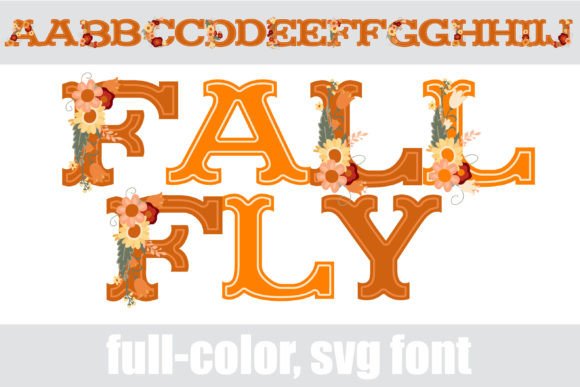
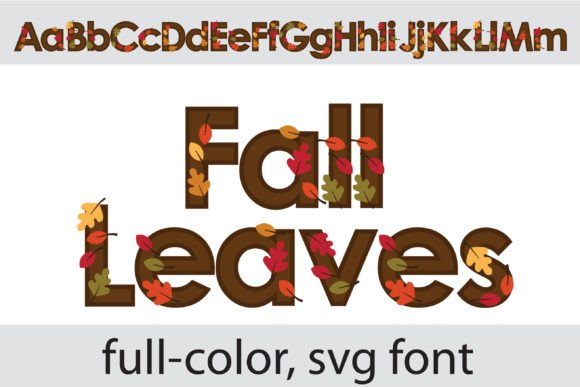
There’s something about autumn that makes us want to bring its warmth and richness into our work. Whether it’s the golden hues of changing leaves, the crispness in the air, or the cozy feeling of the season, fall has a way of inspiring creativity. If you’re a designer, small business owner, or content creator looking to capture that autumnal magic in your projects, the Fall Leaves font might be just what you need. This full-color SVG typeface features sans serif lettering adorned with delicate autumn leaves, blending modern typography with seasonal charm in a way that feels both fresh and familiar.
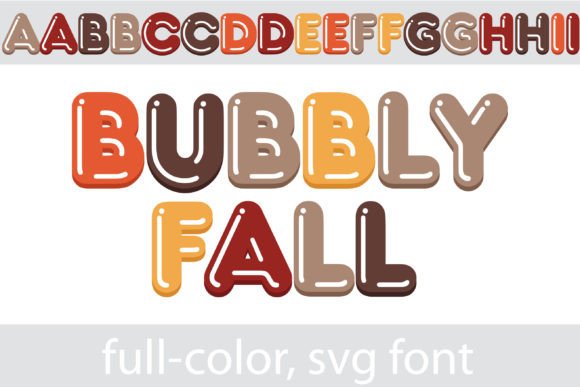
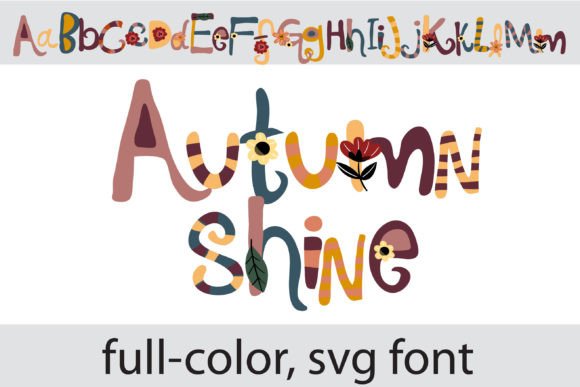
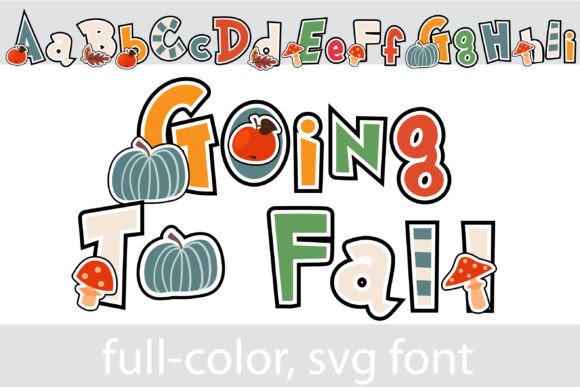
What sets this font apart is its use of OpenType full-color technology, also known as SVG fonts. Unlike traditional fonts that are limited to a single color, full-color fonts can display multiple colors, gradients, and even textures directly within the letterforms. The Fall Leaves font uses this capability to render each character with realistic, vibrant autumn foliage—think maple leaves in shades of red, orange, and gold, nestled against clean, contemporary sans serif shapes. The result is a typeface that feels organic yet polished, making it ideal for projects where you want to evoke a sense of seasonal warmth without sacrificing readability or professionalism.
How to Use a Full-Color Font in Your Design Workflow
One of the first questions you might have is: how do I actually use a font like this? The good news is that installing an SVG font is just like installing any other .otf file. On a Mac, you can use FontBook, while Windows users can install it via the Control Panel or a preferred font manager. Once installed, it should appear in your font list in compatible design software. However, there’s an important caveat: color fonts will display as black in non-compatible programs. Even in some programs that do support them, the font might appear black in the preview window. The true test is typing in your document—if the colors show up, you’re good to go.
As of now, several popular design applications support full-color SVG fonts. These include Adobe products (like Photoshop, Illustrator, and InDesign), Silhouette Studio, Quark, and Inkscape. If you work primarily in these environments, you’ll be able to take full advantage of the Fall Leaves font’s colorful personality. For designers who use other software, it’s worth checking compatibility before purchasing, but the expanding support for color fonts means this technology is becoming more accessible every day.
Bringing Autumn to Life: Creative Applications for Fall Leaves
So, where can you use a font like this? The versatility of the Fall Leaves typeface makes it suitable for a wide range of creative and commercial projects. Here are some ideas to get you started:
- Branding & Logo Design: If your brand has an autumnal theme—think cafes, bakeries, seasonal boutiques, or outdoor lifestyle brands—this font can serve as a distinctive display typeface for logos, wordmarks, or taglines. Its unique leaf detailing helps create instant visual recognition.
- Packaging Design: Imagine this font on product labels for fall-themed foods, candles, or skincare items. The colorful leaves add a tactile, artisanal quality that can make packaging stand out on shelves.
- Social Media Graphics: Use it for Instagram posts, Facebook headers, or Pinterest pins promoting autumn sales, events, or seasonal content. The eye-catching colors can help increase engagement in crowded feeds.
- Websites & Blogs: While it’s best used for headings or accents rather than body text, Fall Leaves can add a festive touch to blog post titles, website banners, or promotional pop-ups during the fall season.
- Print Materials & Posters: Flyers, posters, and invitations for fall festivals, weddings, or Thanksgiving gatherings can benefit from the font’s celebratory yet elegant aesthetic.
- Merchandise & Digital Products: From t-shirts and mugs to printable wall art and greeting cards, this font lends itself well to products that celebrate the season.
- Editorial Layouts: Magazine features, newsletter headers, or cookbook titles can use this typeface to evoke a cozy, seasonal mood.
Pairing Fall Leaves with Other Typefaces
While the Fall Leaves font is a standout on its own, effective design often involves pairing typefaces to create hierarchy and balance. Because it’s a display font with strong visual personality, it works best when paired with simpler, more neutral typefaces. Consider combining it with a clean sans serif font for body text, or a classic serif font for a more traditional feel. For instance, you might use Fall Leaves for a headline, then pair it with a font like Open Sans or Lato for supporting text. This contrast ensures that the decorative elements of the font don’t overwhelm the reader, while still making a bold seasonal statement.
When testing font pairings, pay attention to readability—especially if you’re using the font in smaller sizes or for longer text. While SVG fonts are vector-based and scale beautifully, the intricate leaf details may become less distinct at very small sizes. For that reason, it’s generally best used for larger display applications like headers, logos, or accent text. Always preview your designs at the intended size and on multiple devices or prints to ensure clarity.
Choosing the Right Font Style for Your Project
The Fall Leaves font typically comes with a set of styles—often including uppercase, lowercase, numbers, and punctuation. Before diving into a project, take time to review all the included characters and styles. Some color fonts also include alternate glyphs or ligatures that can add extra flair to your designs. Understanding what’s available will help you make the most of the typeface and avoid limitations later in the creative process.
It’s also worth considering the licensing of the font. If you’re using it for commercial projects—such as client work, merchandise, or marketing materials—make sure the license permits such use. Many premium fonts come with clear commercial licensing terms, but it’s always wise to double-check. This ensures you can use the font confidently across all your projects without legal concerns.
Enhancing Brand Identity with Seasonal Typography
For small business owners and entrepreneurs, typography is a key component of brand identity. The fonts you choose communicate your brand’s personality, values, and aesthetic. Incorporating a seasonal font like Fall Leaves into your branding toolkit—perhaps for limited-time promotions, autumn campaigns, or holiday specials—can help you connect with your audience on an emotional level. It shows that your brand pays attention to details and embraces the changing seasons, which can foster a sense of relatability and warmth.
That said, it’s important to use seasonal fonts strategically. Overusing a highly decorative typeface can dilute its impact or make your brand appear inconsistent. Instead, reserve it for specific campaigns or touchpoints where you want to create a strong seasonal impression. Pair it with your core brand fonts to maintain visual consistency while still adding a festive twist.
Final Thoughts on Using a Creative Font Like Fall Leaves
In a world where visual communication is increasingly important, having access to unique design assets like the Fall Leaves font can give your projects a distinctive edge. It’s more than just a typeface—it’s a tool for storytelling, mood-setting, and audience engagement. Whether you’re designing a logo for a new autumn-themed product line, creating social media content for a seasonal sale, or crafting invitations for a fall event, this font offers a blend of creativity and practicality that’s hard to find in standard typefaces.
As with any design asset, the key is to use it thoughtfully. Consider your project goals, your audience, and the overall aesthetic you’re aiming for. Test it in context, pair it wisely, and ensure it aligns with your brand’s voice. When used well, the Fall Leaves font can help you create designs that are not only visually appealing but also memorable and effective—capturing the beauty of autumn in every letter.